Communication
Webhooks
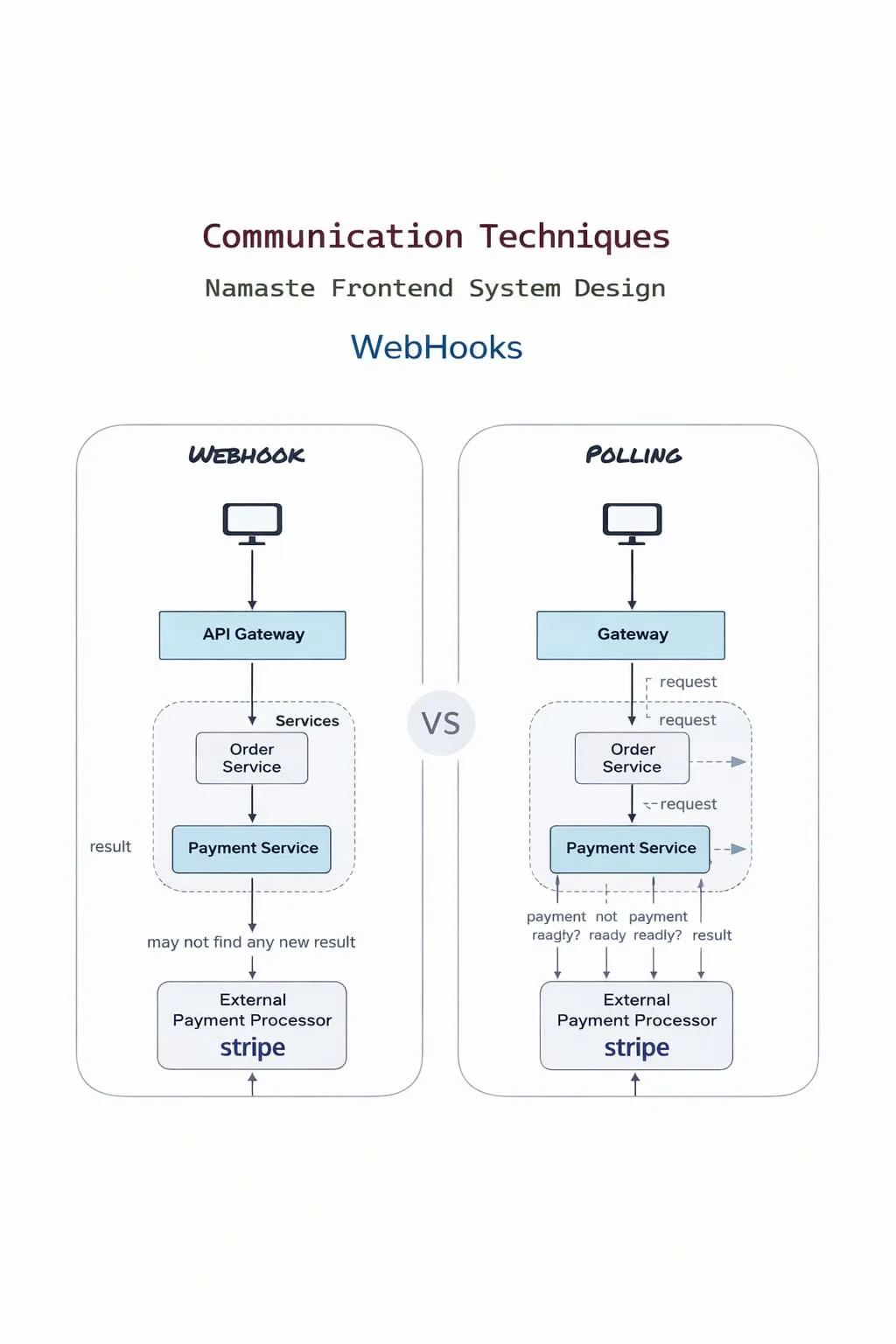
What are Webhooks
Webhooks are a way for one system to send real-time data to another system via HTTP callbacks when an event occurs. Instead of polling (the client repeatedly asks → inefficient), the server sends automatically when the event happens → efficient.
Basic concept: "Don’t call me, I’ll call you."
How webhooks work
- Client registers a callback URL (endpoint)
- Server stores that URL
- An event happens on the server (e.g. payment success)
- Server sends an HTTP POST request to the callback URL
- Client receives and processes the event
Real-world example
With a payment gateway like Stripe, you provide a webhook URL such as https://yourapp.com/webhook. When a payment succeeds, Stripe sends:
POST /webhook
Content-Type: application/json

{
  "event": "payment.success",
  "amount": 1000
}
Server example (receiver)
const express = require("express");
const app = express();

app.use(express.json());

app.post("/webhook", (req, res) => {
  const event = req.body;
  console.log("Webhook received:", event);

  if (event.event === "payment.success") {
    console.log("Payment successful");
  }

  res.status(200).send("OK");
});

app.listen(3000, () => {
  console.log("Webhook server running");
});
Sender example (simulating a webhook)
const axios = require("axios");

axios.post("http://localhost:3000/webhook", {
  event: "payment.success",
  amount: 1000,
});
Key characteristics
- Event-driven
- Uses standard HTTP (usually POST)
- Near real-time
- Decouples systems
Webhooks vs Polling
| Feature | Webhooks | Polling |
|---|---|---|
| Approach | Push | Pull |
| Efficiency | High | Low |
| Latency | Low | High |
| Server Load | Low | High |
Webhooks vs SSE
| Feature | Webhooks | SSE |
|---|---|---|
| Direction | Server → Server | Server → Browser |
| Connection | Short-lived | Long-lived |
| Use case | Backend events | UI updates |
Payload format
Usually JSON:
{
  "event": "user.created",
  "data": {
    "id": 1,
    "name": "Aman"
  }
}
Security (important)
1. Signature verification
The sender signs the payload with a shared secret, and the receiver recomputes the signature and compares. Sign the raw request body exactly as received - re-serialising parsed JSON can change the bytes and break the match.
const crypto = require("crypto");

// Keep the raw bytes so the signature is computed over exactly what was sent
app.post("/webhook", express.raw({ type: "application/json" }), (req, res) => {
  const expected = crypto
    .createHmac("sha256", SECRET)
    .update(req.body) // Buffer of the raw body
    .digest("hex");

  const received = req.get("X-Signature") || "";
  const valid =
    received.length === expected.length &&
    crypto.timingSafeEqual(Buffer.from(received), Buffer.from(expected));

  if (!valid) return res.status(401).send("Invalid signature");

  const event = JSON.parse(req.body);
  // ...handle the event
  res.status(200).send("OK");
});
2. HTTPS only
- Always use HTTPS
- Prevents man-in-the-middle (MITM) attacks
3. IP whitelisting (optional)
- Accept requests only from trusted IPs
Retry mechanism
If a webhook fails (non-2xx response), the sender retries it. The common strategy is exponential backoff - waiting longer between each attempt.
Idempotency (important)
Because of retries, a webhook may be delivered more than once. Design handlers to be idempotent - processing the same event twice must have the same effect as processing it once.
// don't process the same event twice
if (alreadyProcessed(event.id)) return res.status(200).send("OK");
Challenges
- Handling duplicate events (idempotency)
- Retry handling and failures
- Security (signature validation)
- Debugging is difficult
- No guarantee of delivery order
- Network failures / downtime
- Endpoint must be publicly accessible
- Versioning issues in payloads
- Testing locally (needs tunnelling tools)
Use cases
- Payment notifications
- GitHub events (push, PR)
- CI/CD triggers
- Email delivery updates
- Slack bot events