Communication
Short Polling
Overview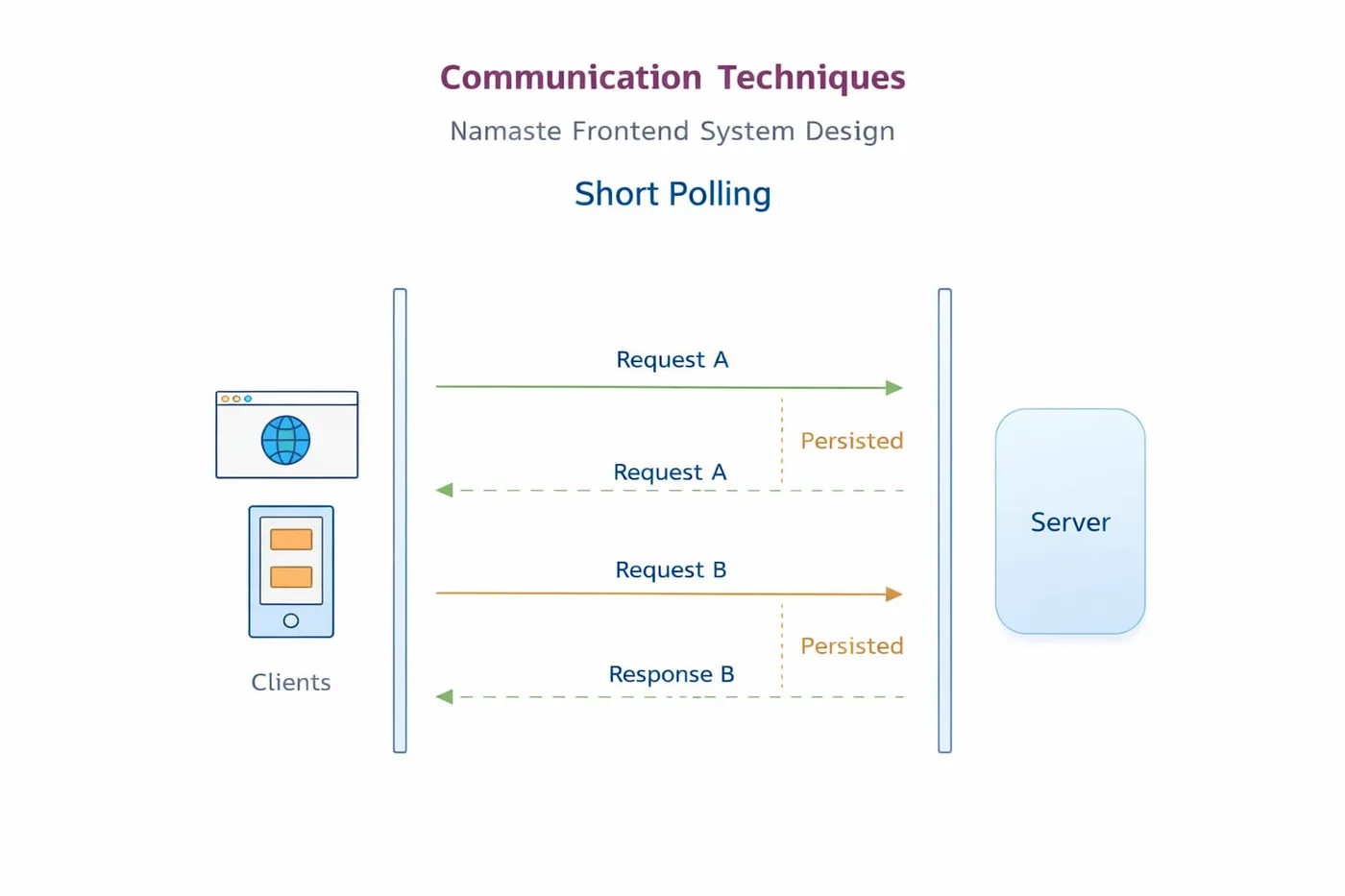
Short polling is a way for a client, like a browser or app, to repeatedly ask the server: "Do you have any new data for me?" It does this after a fixed time interval, like every 2, 5 or 10 seconds. So instead of the server sending updates automatically, the client keeps checking again and again.
Simple example
You message your friend and then keep asking every minute: "Did you reply?" "Did you reply now?" "What about now?" That is basically how short polling works.
How it works
- Client sends a request to the server
- Server sends back the current data
- Client waits for a short time
- Client sends another request
- This keeps repeating
Example use cases
- Showing notifications
- Checking order status
- Refreshing dashboard data
- Chat apps with basic real-time updates
- Stock or weather updates at intervals
Advantages
- Easy to understand - one of the simplest ways to get updated data from a server.
- Easy to implement - built with normal HTTP requests using
fetchoraxios. - Works almost everywhere - regular client-server requests work in most browsers and backend systems.
- Good for small projects - enough for simple apps where real-time speed isn’t critical.
Disadvantages
- Wastes requests - the client keeps sending requests even when no new data is available.
- Increases server load - too many repeated requests put extra pressure on the server.
- Not truly real-time - updates only arrive when the next request happens, so there can be delay.
- Inefficient for large apps - if many users poll frequently, performance becomes a problem.
Code
index.html
<!doctype html>
<html lang="en">
  <head>
    <meta charset="UTF-8" />
    <title>Short Polling Example</title>
  </head>
  <body>
    <h1>Short Polling Example</h1>
    <div id="data-container"></div>

    <script>
      async function getData() {
        try {
          const response = await fetch("/getData");
          const result = await response.json();
          document.getElementById("data-container").textContent = result.data;
        } catch (error) {
          console.log(error);
        }
      }

      // Ask the server again every 5 seconds
      setInterval(getData, 5000);
      getData();
    </script>
  </body>
</html>
index.js
const express = require("express");
const app = express();

let data = "Our initial data here";

app.get("/", (req, res) => {
  res.sendFile(__dirname + "/index.html");
});

// Get the data from the server
app.get("/getData", (req, res) => {
  res.send({ data });
});

// Use PUT/POST to update in a real app - GET is just for the demo
app.get("/updateData", (req, res) => {
  data = "Updated data";
  res.send({ data });
});

app.listen(5000, () => console.log("App running on port 5000"));