Project case study
Netflix GPT
A Netflix-style streaming UI where you describe the kind of movie you want, and GPT finds it.
Objective
What this project sets out to do
Browsing endless rows of titles is slow when you already know the feeling you want ("a feel-good Hindi comedy", "a mind-bending thriller like Inception"). Netflix GPT recreates the familiar Netflix browsing experience and adds a natural-language search: GPT turns the request into movie names, and TMDB turns those names into real titles with posters and details.
- Recreate the Netflix browse experience: an auto-playing trailer hero and scrollable rows of real, up-to-date movies.
- Let users search by meaning, not just by title, using GPT as a recommendation engine.
- Protect the app behind real authentication, with sign-up, sign-in and sign-out.
- Keep it fast: lazy-loaded routes, cached API data and skeleton loaders instead of blank screens.
Features
What you can do in the app
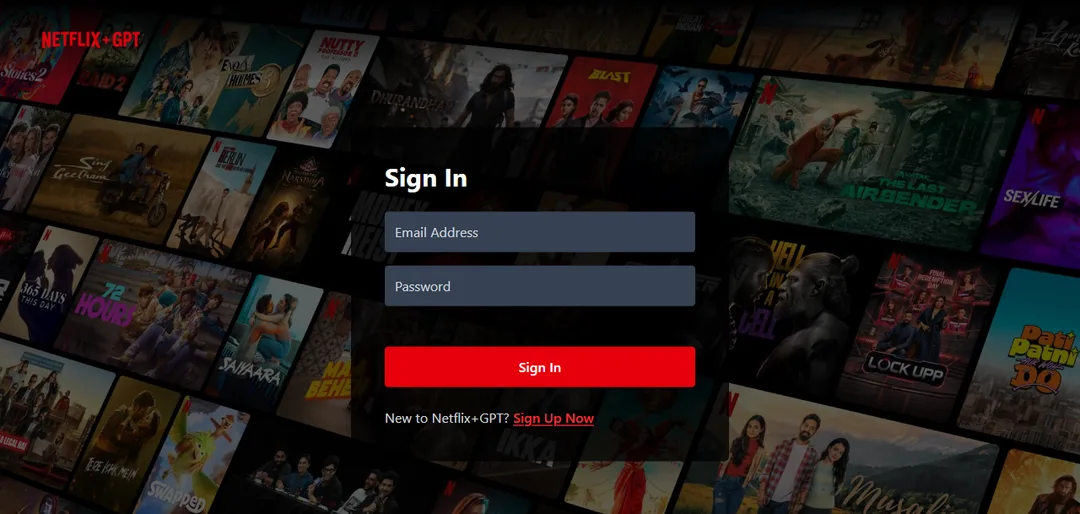
- Authentication with Firebase: sign up (name and avatar saved to the profile), sign in, sign out, with email and strong-password validation.
- Protected routes:
/browseand movie pages redirect to login when signed out, and the login page is skipped when already signed in. - Hero section: the top "Now Playing" movie's trailer auto-plays (muted, with a mute toggle) behind its title and overview.
- Movie rows: Now Playing, Popular, Top Rated and Upcoming, live from the TMDB API.
- GPT search: describe what you want in plain words; GPT suggests 5 movies, and each is matched to real TMDB results.
- Multi-language search UI: English, Hindi and Spanish.
- Movie details page: overview, top 10 cast, YouTube trailer and similar movies.
- Shimmer loaders for every section, and a friendly 404 page.
Tech stack
What it's built with, and why
Frontend
- React 19
- Component-based UI with hooks; custom hooks hold all the data fetching.
- Vite
- Fast dev server and optimized production builds with code splitting.
- Tailwind CSS v4
- Utility-first styling for a responsive, Netflix-like dark UI.
- React Router 7
createBrowserRouterwith lazy-loaded routes and a protected-route wrapper.- React Icons
- Lightweight icon set.
State management
- Redux Toolkit
configureStoreandcreateSlice- five focused slices with Immer-powered reducers.- React Redux
Provider,useSelectoranduseDispatchconnect components to the store.
Services and APIs
- Firebase Authentication
- Email/password accounts, profile updates and the
onAuthStateChangedsession listener. - OpenAI API
- Chat Completions turns a free-text request into five movie names.
- TMDB API
- Movie lists, search, details, credits, videos and similar titles.
- YouTube embed
- Background and detail-page trailers.
Hosting
- Vercel
- Production hosting with a SPA rewrite so deep links like
/browse/movie/:idwork.
State management
How state is managed with Redux Toolkit
Global, shared data lives in a single Redux store split into five slices, one per concern. Components never fetch directly: custom hooks fetch from the APIs and dispatch into the store, and components only read with useSelector. Purely local UI state (form inputs, the "auth checked" flag, mute toggle) stays in the component with useRef and useState.
The store
// utils/appStore.js
const appStore = configureStore({
  reducer: {
    user: userReducer,               // who is signed in
    movies: moviesReducer,           // browse rows + hero trailer
    gpt: gptReducer,                 // GPT search view and results
    config: configReducer,           // UI language
    movieDetails: movieDetailsReducer, // the open movie page
  },
});

// App.jsx
<Provider store={appStore}>
  <Body />
</Provider>
The slices
user
null when signed out, otherwise { uid, email, displayName, photoURL }.
addUserremoveUser- Written by:
- The Firebase
onAuthStateChangedlistener inBody. - Read by:
ProtectedRoute(redirect when null) andHeader(avatar, sign-out button).
movies
nowPlayingMovies, popularMovies, topratedMovies, upcomingMovies and the hero trailerVideo.
addNowPlayingMoviesaddPopularMoviesaddTopratedMoviesaddUpcomingMoviesaddTrailerVideo- Written by:
- Custom hooks:
useNowPlayingMovies,usePopularMovies,useTopratedMovies,useUpcomingMovies,useMovieTrailer. - Read by:
MainContainer(hero),SecondaryContainer(rows).
gpt
showGptSearch, movieNames, movieResults, isLoading, errorMessage.
toggleGptSearchViewsetGptSearchLoadingsetGptSearchErroraddGptMovieResultresetGptSearch- Written by:
Header(toggle),GptSearchBar(loading, results, errors),Body(reset on sign-out).- Read by:
Browse(which view to show),GptSearchBar,GptMovieSuggestions.
config
lang - the selected UI language (en, hindi, spanish).
changeLanguage- Written by:
- The language dropdown in
Header. - Read by:
GptSearchBarfor the placeholder and button text.
movieDetails
movieId, details, cast, trailerKey, similarMovies, isLoading, errorMessage.
startMovieDetailsFetchsetMovieDetailssetMovieDetailsError- Written by:
- The
useMovieDetails(movieId)hook. - Read by:
MovieDetailspage.
How data flows
1. Authentication: one listener keeps the store in sync
Firebase is the source of truth for the session. A single onAuthStateChanged subscription mirrors it into the user slice, so sign-in, sign-up, sign-out and page refreshes all update the UI the same way. A local authChecked flag holds rendering until Firebase restores the session, so a signed-in user never sees a flash of the login page.
Firebase auth
sign in / sign out / page load
onAuthStateChanged
one subscription in Body
dispatch
addUser or removeUser + resetGptSearch
user slice
null or user object
ProtectedRoute / Header
useSelector re-renders
components/Body.jsx - subscribe once, clean up on unmountuseEffect(() => {
const unsubscribe = onAuthStateChanged(auth, (user) => {
if (user) {
const { uid, email, displayName, photoURL } = user;
dispatch(addUser({ uid, email, displayName, photoURL }));
} else {
dispatch(removeUser());
dispatch(resetGptSearch()); // no stale search results for the next user
}
setAuthChecked(true);
});
return () => unsubscribe();
}, [dispatch]);2. Browse data: custom hooks fetch once, the store caches
Each row has its own custom hook that fetches from TMDB and dispatches into the movies slice. The hook first checks the store and skips the request when the data is already there, so switching to GPT search and back - which unmounts the browse view - doesn't refetch everything.
Browse mounts
calls 4 hooks
Store check
already loaded? skip
TMDB fetch
now playing, popular...
movies slice
add*Movies
Rows render
shimmer until data
hooks/useNowPlayingMovies.js - the store doubles as a cacheconst useNowPlayingMovies = () => {
const dispatch = useDispatch();
const nowPlayingMovies = useSelector((store) => store.movies.nowPlayingMovies);
const getNowPlayingMovies = async () => {
const data = await fetch("https://api.themoviedb.org/3/movie/now_playing?&page=1", OPTIONS);
const json = await data.json();
dispatch(addNowPlayingMovies(json.results));
};
useEffect(() => {
!nowPlayingMovies && getNowPlayingMovies(); // only fetch if not cached
}, []);
};3. GPT search: an async flow with loading and error states
The search bar drives the whole request lifecycle through the gpt slice: set loading, ask GPT for five movie names, look all five up on TMDB in parallel with Promise.all, then store names and results together in one action. Every failure path dispatches a user-friendly error, and the input is disabled while a search is running.
User query
read via useRef
setGptSearchLoading
disable input, clear error
OpenAI
"5 movie names, comma separated"
TMDB search ×5
Promise.all in parallel
addGptMovieResult
names + results together
components/GptSearch/GptSearchBar.jsx (simplified)dispatch(setGptSearchLoading(true));
try {
const gptResults = await openAi.chat.completions.create({
model: "gpt-5.4-mini",
messages: [{ role: "user", content: gptQuery }],
});
const gptMovies = gptResults.choices[0].message.content
.split(",")
.map((movie) => movie.trim());
// Look up all five movies at the same time
const tmdbResults = await Promise.all(gptMovies.map(searchMovieTMDB));
dispatch(addGptMovieResult({ movieNames: gptMovies, movieResults: tmdbResults }));
} catch {
dispatch(setGptSearchError("Something went wrong while searching. Please try again."));
}4. Movie details: ignoring stale responses
Opening a movie loads details, credits, videos and similar titles in parallel. If the user clicks a "similar movie" before the first page finishes loading, the slower, older response could overwrite the new movie. The reducers prevent this: every response carries its movieId, and the slice ignores any response that isn't for the movie currently open.
Open /movie/:id
startMovieDetailsFetch(id)
4 requests
details, credits, videos, similar
setMovieDetails
payload includes movieId
Reducer guard
id matches current? apply
utils/movieDetailsSlice.js - the race-condition guardstartMovieDetailsFetch: (state, action) => {
state.movieId = action.payload; // the movie that's open now
state.isLoading = true;
state.details = null;
// ...reset cast, trailer, similar
},
setMovieDetails: (state, action) => {
const { movieId, details, cast, trailerKey, similarMovies } = action.payload;
if (state.movieId !== movieId) return; // stale response - ignore it
state.details = details;
state.cast = cast;
state.trailerKey = trailerKey;
state.similarMovies = similarMovies;
state.isLoading = false;
},Design decisions
- Why Redux instead of Context? The user, the GPT toggle and the language are read in places far apart in the tree (header, browse page, search, protected routes). Redux Toolkit keeps that shared state in one predictable place with DevTools support, and
useSelectorre-renders only the components that read the changed value. - One slice per concern.
user,movies,gpt,configandmovieDetailschange for different reasons, so each has its own small reducer and actions instead of one large object. - Fetching lives in custom hooks, not components. Components stay presentational: they read from the store and render. Hooks own the API calls and dispatch.
- The store is the cache. Hooks check the slice before fetching, so data survives view switches without a separate caching library.
- Explicit async states.
isLoadinganderrorMessageare part of thegptandmovieDetailsslices, which drive shimmer loaders, disabled inputs and friendly error messages. - Reset on sign-out.
resetGptSearchreturns the slice to its initial state, so the next user never sees the previous user's results. - Local state stays local. Form fields use
useRef(no re-render per keystroke) and one-off UI flags useuseState; only data shared across components goes into Redux.
See it in action
Try the live app or browse the full source on GitHub.