Project case study
DevBuddy
A Tinder-style networking app where developers swipe through profiles, connect, and chat in real time.
Objective
What this project sets out to do
Finding someone to build a side project with, pair on interview prep or just talk code with usually means cold messages on LinkedIn or random Discord servers. DevBuddy borrows the one interaction everyone already understands - swipe right or left - and applies it to developers: browse profiles with their skills, show interest, and once both sides agree, talk in a real-time chat. The interesting part is the backend: a REST API on Express and MongoDB that owns authentication, the connection rules and the feed logic, plus a Socket.io server for chat and AWS SES for email.
- Match developers through a simple, swipeable feed of profiles with skills, age and a short bio.
- Make connections mutual: a request is only a connection once the other person accepts it.
- Never show the same profile twice - not yourself, and not anyone you have already swiped on or connected with.
- Let connected developers chat instantly, with the conversation saved so it is still there next time.
- Keep accounts secure: hashed passwords, httpOnly cookie sessions and validation on every input.
Features
What you can do in the app
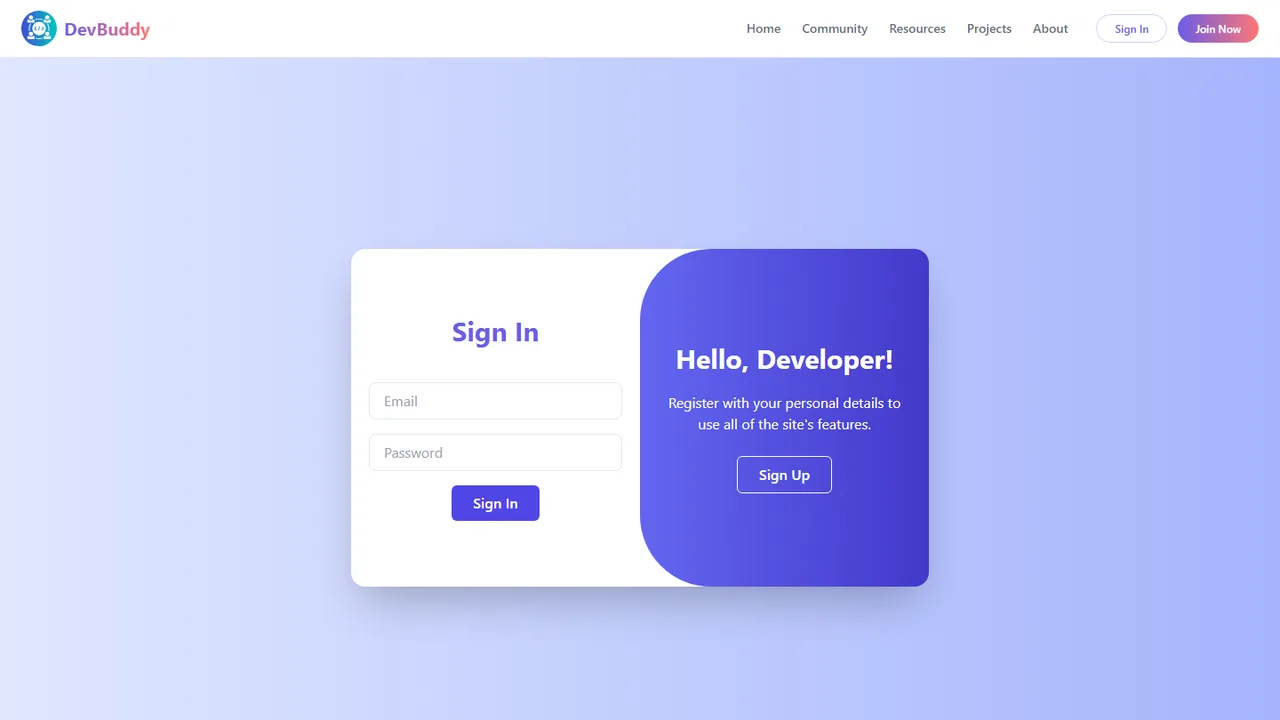
- Sign up and log in with email and password; the session is a JWT in an
httpOnlycookie that lasts 8 hours. - Profiles: name, photo, age, gender, a 200-character bio and up to 15 skills, plus a separate change-password flow.
- Developer feed: one card at a time with Interested or Ignore; the card swipes off-screen with a Framer Motion animation.
- Connection requests: a list of people interested in you, each with Accept and Reject.
- Connections: everyone you have matched with, each with a button to open a chat.
- Real-time chat with Socket.io; messages are saved in MongoDB and loaded when the chat opens.
- Email notifications through AWS SES when someone shows interest in you, and a daily 8 AM
node-cronjob that looks for requests still waiting for a reply. - Premium page with Silver and Gold plans (Razorpay checkout is in progress).
Tech stack
What it's built with, and why
Frontend
- React 19 + Vite 7
- Component UI with a fast dev server and production build.
- Redux Toolkit
- One store for the user, feed, requests and connections, shared across pages without prop drilling.
- React Router 7
- Nested routes under one layout: feed, profile, requests, connections, premium and
/chat/:targetUserId. - Tailwind CSS + daisyUI
- Utility styles and ready-made components (cards, buttons, chat bubbles) with a custom theme.
- Framer Motion
- The swipe-left / swipe-right exit animation on feed cards.
- Axios
- API calls with
withCredentialsso the session cookie travels with every request. - Socket.io client
- A live connection to the chat server for sending and receiving messages.
Backend
- Node.js + Express 5
- REST API split into routers: auth, profile, requests, users/feed and chat.
- JWT + bcrypt + cookie-parser
- Passwords hashed with bcrypt; sessions as signed JWTs in
httpOnlycookies. - validator
- Email, strong-password and URL checks, in the routes and in the schema.
- Socket.io
- Real-time chat on the same HTTP server as the API.
- AWS SES (SDK v3)
- Transactional email when someone sends you a request.
- node-cron + date-fns
- A scheduled job every morning that finds the previous day's pending requests.
Database
- MongoDB + Mongoose 8
- Three collections - users, connection requests and chats - with schema validation, timestamps, references with
populate, and a compound index.
Hosting
- Vercel + Render
- The React app on Vercel; the Express + Socket.io server on Render, with allowed origins set by environment variable.
State management
How state is managed with Redux Toolkit, with the rules enforced on the server
On the client, Redux Toolkit holds four small slices: the signed-in user, the feed, incoming requests and connections. Pages fetch their data once, keep it in the store, and update it locally after an action (removing a swiped card or an answered request) instead of refetching. The real logic lives on the server: MongoDB is the source of truth, the connection request is a small state machine, and every rule - who can see whom, who can accept what - is enforced by the API, not the UI.
The store
// utils/appStore.js
import { configureStore } from "@reduxjs/toolkit";
import userReducer from "./userSlice";
import feedReducer from "./feedSlice";
import connectionsReducer from "./connectionsSlice";
import requestReducer from "./requestSlice";

const appStore = configureStore({
  reducer: {
    user: userReducer,          // the signed-in developer (or null)
    feed: feedReducer,          // profiles still to swipe on
    connection: connectionsReducer, // accepted matches
    request: requestReducer,    // requests waiting for my answer
  },
});
The slices
user
The signed-in developer's profile, or null when logged out.
addUserremoveUser- Written by:
Body(restores the session viaGET /profile/view), the login and sign-up form, profile edit and logout.- Read by:
- The header, profile page, chat (to know which messages are mine) and route-level redirects.
feed
The list of profiles from GET /feed that you have not swiped on yet.
addFeedremoveUserFromFeed- Written by:
Feedloads it once;FeedCardremoves a profile after the swipe animation and request.- Read by:
Feed, which shows only the first card.
request
Requests sent to you with status interested, each with the sender's public profile.
addRequestremoveRequest- Written by:
RequestsloadsGET /user/requests/received; Accept or Reject removes the card.- Read by:
- The requests page.
connection
Everyone you are connected with (accepted in either direction).
addConnectionsremoveConnections- Written by:
ConnectionsloadsGET /user/connections.- Read by:
- The connections page and its chat buttons.
Server (MongoDB)
users, connectionrequests (fromUserId, toUserId, status) and chats (participants plus embedded messages).
POST /request/send/:status/:toUserIdPOST /request/review/:status/:requestIdGET /feedsocket: sendMessage- Written by:
- Only the Express API and the Socket.io server, after the auth middleware has identified the user.
- Read by:
- Every page, through the API.
How data flows
1. Sessions: a JWT in an httpOnly cookie, checked by one middleware
On sign-up or login the server hashes or checks the password with bcrypt, signs a JWT with the user's id and sets it as an httpOnly cookie - JavaScript in the page can never read it. Every protected route runs userAuth first: it reads the cookie, verifies the token, loads the user and attaches it to req.user. Because the frontend (Vercel) and API (Render) are on different domains, the cookie is secure and sameSite: "none" in production.
POST /login
bcrypt.compare
user.getJWT()
signed, expires in 8h
Set-Cookie
httpOnly, secure, sameSite
userAuth
verify token → load user
req.user
available to every route
middlewares/auth.js - the guard in front of every private routeconst userAuth = async (req, res, next) => {
try {
const { token } = req.cookies;
if (!token) return res.status(401).send("Please Login");
const { _id } = jwt.verify(token, process.env.JWT_SECRET);
const user = await User.findById(_id);
if (!user) throw new Error("User not found");
req.user = user; // routes use req.user, never an id from the body
next();
} catch (err) {
res.status(400).send("ERROR: " + err.message);
}
};2. Connection requests: a small state machine with guard rails
A swipe creates a ConnectionRequest with status interested or ignored. Only the person it was sent to can then move an interested request to accepted or rejected. Before saving, the API rejects any other status, a request to yourself, an invalid or unknown user, and - with one $or query - a request that already exists in either direction, so two people can never have two requests between them.
Swipe
interested / ignored
Validate
status, self, ObjectId, user exists
Duplicate check
A→B or B→A
Save + SES email
to the receiver
Review
receiver: accepted / rejected
routes/request.js - checks before a request is savedconst allowedStatus = ["ignored", "interested"];
if (!allowedStatus.includes(status))
return res.status(400).json({ message: "Invalid Status type " + status });
if (fromUserId.toString() === toUserId)
return res.status(400).json({ message: "You cannot send a request to yourself" });
// One request per pair of people, whichever way round it was sent
const existing = await ConnectionRequest.findOne({
$or: [
{ fromUserId, toUserId },
{ fromUserId: toUserId, toUserId: fromUserId },
],
});
if (existing) return res.status(400).json({ message: "Connection Request Already Exist!!" });
// Reviewing: only the receiver, and only a pending "interested" request
const request = await ConnectionRequest.findOne({
_id: requestId,
toUserId: loggedInUser._id,
status: "interested",
});3. The feed: everyone you have not met yet, a page at a time
The feed query starts from every request involving you - sent or received, any status - and collects both sides into a Set of ids to hide. It then asks MongoDB for users not in that set and not you, returns only public fields, and paginates with skip and limit (capped at 50 per page). On the client the feed is fetched once into Redux; each swipe removes the top card locally, so the next profile appears instantly without another request.
Your requests
from you or to you
Hide set
both user ids
User.find
$nin hidden, $ne you
Safe fields
no email or password
Paginate
limit ≤ 50
routes/user.js - building the feedconst USER_SAFE_DATA = "firstName lastName photoUrl age gender about skills";
const requests = await ConnectionRequest.find({
$or: [{ fromUserId: loggedInUser._id }, { toUserId: loggedInUser._id }],
}).select("fromUserId toUserId");
const hideUsersFromFeed = new Set();
requests.forEach((r) => {
hideUsersFromFeed.add(r.fromUserId.toString());
hideUsersFromFeed.add(r.toUserId.toString());
});
const limit = Math.min(parseInt(req.query.limit) || 10, 50);
const users = await User.find({
$and: [
{ _id: { $nin: Array.from(hideUsersFromFeed) } },
{ _id: { $ne: loggedInUser._id } },
],
})
.select(USER_SAFE_DATA)
.skip((page - 1) * limit)
.limit(limit);4. Real-time chat: a private room per pair, saved to MongoDB
Opening a chat loads the history over REST (GET /chat/:targetUserId, creating the chat document on first use) and opens a Socket.io connection. Both people join the same room, whose id is a SHA-256 hash of their two user ids sorted - so it is identical for both of them, but not guessable from outside. Sending a message saves it into the chat's messages array and then broadcasts it to the room.
Open /chat/:id
GET history
joinChat
roomId = sha256(sorted ids)
sendMessage
push into Chat.messages
Save
MongoDB
messageReceived
emitted to the room
utils/socket.js - one room per pair of developersconst getSecretRoomId = (userId, targetUserId) =>
crypto
.createHash("sha256")
.update([userId, targetUserId].sort().join("_"))
.digest("hex");
io.on("connection", (socket) => {
socket.on("joinChat", ({ userId, targetUserId }) => {
socket.join(getSecretRoomId(userId, targetUserId));
});
socket.on("sendMessage", async ({ userId, targetUserId, text, ...sender }) => {
const roomId = getSecretRoomId(userId, targetUserId);
let chat = await Chat.findOne({ participants: { $all: [userId, targetUserId] } });
if (!chat) chat = new Chat({ participants: [userId, targetUserId], messages: [] });
chat.messages.push({ senderId: userId, text });
await chat.save();
io.to(roomId).emit("messageReceived", { ...sender, text });
});
});5. Email and scheduled jobs
When someone shows interest, the request route sends the receiver an email through AWS SES straight away. Separately, a node-cron job runs every day at 8 AM: it uses date-fns to work out the start and end of yesterday, finds every request from that window that is still interested, de-duplicates the receivers with a Set, and loops through them to send a reminder.
cron 0 8 * * *
every day, 8 AM
Yesterday
startOfDay / endOfDay
Pending requests
status interested
Unique emails
new Set()
SES
SendEmailCommand
Design decisions
- Cookies, not localStorage, for the session. An
httpOnlycookie cannot be read by injected scripts, andwithCredentialson Axios and Socket.io sends it automatically. - Two layers of validation. Routes check input up front (strong password, valid email, allowed statuses), and the Mongoose schema enforces it again (name length and letters only, age 18-100, URL photos, at most 15 skills), so bad data cannot reach the database another way.
- Whitelisted profile edits.
PATCH /profile/editrejects the request if it contains any field outside an allowed list, so nobody can sneak apasswordor_idchange through the profile form. Passwords change only through their own route, which checks the current password first. - Never leak private fields. Every query that returns other people uses one
USER_SAFE_DATAprojection, so emails and password hashes are never sent to another user. - Requests cannot be duplicated or hijacked. The duplicate check covers both directions, and a review only matches a request addressed to the logged-in user that is still
interested. - A compound index on
{ fromUserId, toUserId }keeps request lookups fast as the collection grows. - Deterministic, private chat rooms. Hashing the sorted pair of ids gives both people the same room without storing a room table, and without exposing raw user ids as room names.
- Optimistic UI. Swipes and request answers update the Redux store immediately after the call, instead of refetching the whole list.
See it in action
Try the live app or browse the full source on GitHub.