Project case study
Bug Tracker
A role-based bug tracker where QA reports issues and developers move them from Open to Closed.
Objective
What this project sets out to do
Bug reports scattered across chats and spreadsheets get lost: nobody knows who owns an issue, what state it is in, or whether the fix was checked. Bug Tracker gives a QA and developer team one shared workspace with a clear, enforced workflow - QA reports and verifies, developers take and fix - with screenshots, comments, an activity history and notifications, so every bug has an owner and a status.
- Give every bug an owner and a single source of truth for its status.
- Enforce a real workflow: Open → Assigned → In Progress → Review → Closed, with QA able to reject a fix back to Open.
- Show each role only what it can do: QA creates, edits, assigns, closes and reopens; developers take, start and submit for review.
- Keep a permanent record: an activity timeline and comments on every bug, plus notifications when work is assigned or ready for review.
Features
What you can do in the app
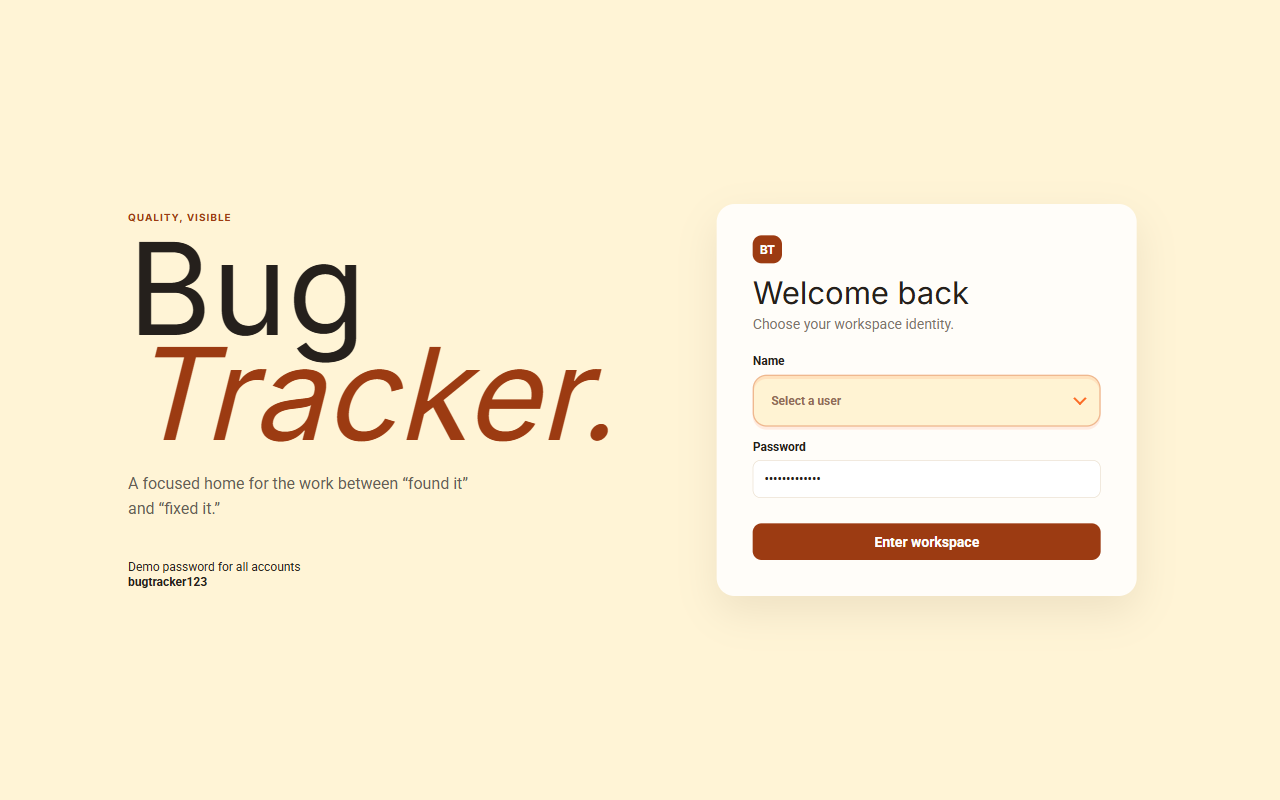
- JWT login with two roles, QA and Developer, and a protected workspace for each.
- Status workflow: developers take open bugs, start work and send them to review; QA closes them or reopens them as rejected.
- Bug reporting (QA): name, description, affected URL, bug or new-feature type, developer assignment and a screenshot upload (JPG, PNG or WEBP up to 5 MB).
- Bug register: issue cards with status filter buttons and live counts, a fix-type filter and pagination.
- Bug detail page: description, screenshot with full-size preview, the actions allowed for your role, an activity timeline and a comment thread.
- Notifications: a developer is notified when assigned a bug, and the reporting QA when a fix is ready for review.
- Dashboard: totals per status and Recharts charts - bugs over time, by developer, by fix type and by status - plus recent activity.
- Dark mode, a mobile navigation drawer and toast messages.
Tech stack
What it's built with, and why
Frontend
- React 19 + TypeScript
- Typed components for the workspace, register, detail page and dashboard.
- Vite
- Fast dev server and production builds.
- React Router 7
- Routes for the dashboard, register and
/bugs/:id, plus the login redirect. - Tailwind CSS v4
- Utility styles alongside a warm, compact custom design system with a dark theme.
- React Hook Form
- Login form state and validation without re-rendering on every keystroke.
- Recharts
- Dashboard bar, line and pie charts.
- Axios
- One API client with interceptors for the auth token and expired sessions.
- React Hot Toast
- Success and error messages.
Backend
- Node.js + Express 5
- REST API for auth, bugs, comments, uploads, notifications and the dashboard.
- JWT + bcrypt
- Stateless sessions; passwords stored as hashes.
- Multer
- Screenshot uploads with file type and size limits.
Database
- PostgreSQL + Prisma
- Typed queries, migrations and seed data for users, bugs, comments, activity logs and notifications.
Hosting
- Netlify + Render
- Static frontend on Netlify with a SPA fallback; the Express API runs as a separate service.
State management
How state is managed with React Context and server state
There is no global store library, on purpose. Almost all of the data is server state (bugs, comments, notifications, dashboard numbers) that belongs to one page at a time, so each page fetches it into local useState and refetches after every change. The only truly global state is the signed-in user, which lives in a small React Context. Permissions and the status workflow are enforced on the server, and the UI mirrors them by showing only the actions your role can take.
The store
// main.tsx - the only global state: who is signed in
type User = { id: number; name: string; role: "QA" | "DEVELOPER" };

const Auth = createContext<{
  user: User | null;
  setUser: (u: User | null) => void;
}>({ user: null, setUser: () => {} });

const useAuth = () => useContext(Auth);

// App: restore the session once, then provide it to every route
<Auth.Provider value={{ user, setUser }}>
  <Routes>
    <Route path="/login" element={user ? <Navigate to="/" /> : <Login />} />
    <Route path="/*" element={user ? <Shell /> : <Navigate to="/login" />} />
  </Routes>
</Auth.Provider>
The slices
Auth context
The signed-in user (id, name, role) and setUser. The JWT itself is kept in localStorage.
setUserloginlogout- Written by:
App(restores the session via/auth/me),Loginand the sign-out button inShell.- Read by:
- Route guards, the sidebar user chip and role-based headings.
Bug register (page state)
result (items, total, page), filters (status, fixType, page), statusCounts, users, plus modal and preview flags.
setFiltersload()updateStatus()- Written by:
- Filter buttons and pagination in
BugsCompact; auseEffectrefetches wheneverfilterschanges. - Read by:
- The issue cards, filter counts and pager.
Bug detail (page state)
The full bug (with comments and activity), the comment draft, the edit modal and the screenshot preview.
load()updateStatus()addComment()- Written by:
BugDetails, keyed by the:idroute parameter.- Read by:
- The detail page, timeline and comment thread.
Shell (workspace UI)
notes (notifications), the dark theme flag and the mobile menu open flag.
setNotessetDarksetOpen- Written by:
Shell- notifications load on mount; "Mark all read" updates them in place.- Read by:
- The bell badge, notification menu, theme attribute and drawer.
Server (source of truth)
Bugs, statuses, assignments, comments, activity logs and notifications in PostgreSQL.
GET /bugsPATCH /bugs/:idPOST /bugs/:id/commentsGET /dashboard- Written by:
- Only the Express API, after checking the JWT role and the allowed status change.
- Read by:
- Every page, by refetching after each change.
How data flows
1. Session: a token, a context and two interceptors
On login the API returns a JWT and the user. The token goes to localStorage and the user into the Auth context. One Axios instance attaches the token to every request, and a response interceptor catches 401 from anywhere in the app, clears the session and sends the user to login. On a refresh, App calls /auth/me once, behind a ready flag, before rendering any route.
Login
POST /auth/login
Save token
localStorage
setUser
Auth context
Every request
interceptor adds Bearer token
401 anywhere
clear session → /login
main.tsx - auth handled once, for every API callconst api = axios.create({ baseURL: import.meta.env.VITE_API_URL || "/api" });
api.interceptors.request.use((c) => {
const t = localStorage.getItem("token");
if (t) c.headers.Authorization = `Bearer ${t}`;
return c;
});
api.interceptors.response.use(
(r) => r,
(e) => {
if (e.response?.status === 401) {
localStorage.clear(); // expired or invalid session
location.href = "/login";
}
return Promise.reject(e);
},
);2. The status workflow: a state machine enforced on the server
A bug's status is the heart of the app. The API decides which changes each role may make - a developer can only take an open bug or move their own bug forward, and only QA can close or reopen - and returns 403 otherwise. Every change writes an activity log entry and, where relevant, a notification. The UI renders only the buttons that are valid for the current role and status, so users rarely hit those errors.
OPEN
QA reports the bug
ASSIGNED
dev takes it, or QA assigns
IN_PROGRESS
dev starts work
REVIEW
dev submits; QA notified
CLOSED
QA verifies - or reopens to OPEN
server/src/index.ts - role rules on PATCH /api/bugs/:id (simplified)if (req.user.role === "DEVELOPER") {
const takingOpenBug = old.status === "OPEN" && body.status === "ASSIGNED";
if (!takingOpenBug && old.assigneeId !== req.user.id)
return res.status(403).json({ message: "Only your assigned bugs can be updated" });
if (!["ASSIGNED", "IN_PROGRESS", "REVIEW"].includes(body.status))
return res.status(403).json({ message: "Developers can move bugs to In Progress or Review" });
if (old.status === "CLOSED")
return res.status(400).json({ message: "Closed bugs cannot be changed" });
}
// QA may only close a bug or send it back to OPEN (rejected)
if (req.user.role === "QA" && ["OPEN", "CLOSED"].includes(body.status))
data.status = body.status;
// ...after saving: write the activity log and notify
if (data.status === "REVIEW")
await notify(old.creatorId, `Bug #${id} is ready for your review`, id);3. The register: filters drive the fetch
The register keeps its filters in local state. A useEffect reloads the page of results whenever the filters change, and the server applies the role scope (developers see open bugs and their own) plus the status, type and paging. After any status change the list and the per-status counts are fetched again, so the UI never drifts from the database.
Click a filter
setFilters({ status })
useEffect
filters changed
GET /bugs
role scope + filters + page
setResult
cards and pager re-render
BugsCompact.tsx - filter state in, server data outconst [filters, setFilters] = useState({ status: "", fixType: "", page: 1 });
const load = async (f = filters) =>
setResult(
(await api.get("/bugs", { params: { ...f, limit: 10, sort: "id", order: "asc" } })).data,
);
useEffect(() => {
load(); // refetch whenever a filter or the page changes
}, [filters]);4. Mutations: change on the server, then refetch
Taking a bug, starting work, closing it or posting a comment all follow one pattern: send the change, then reload from the API. There is no optimistic update to roll back, because the server may refuse the change, assign the bug or add an activity entry in the same request - so the fresh response is always the correct picture.
Button click
e.g. "Send to review"
PATCH /bugs/:id
server checks role + status
Activity + notify
written by the API
load()
refetch the bug or list
BugsCompact.tsx - the bug detail pageconst updateStatus = async (status: string) => {
try {
await api.patch(`/bugs/${id}`, { status });
load(); // server is the source of truth - re-read the bug
} catch (error: any) {
window.alert(error.response?.data?.message || "Could not update bug status.");
}
};
// Only the actions valid for this role and status are rendered
{!qa && bug.status === "OPEN" && <button onClick={() => updateStatus("ASSIGNED")}>Take bug</button>}
{!qa && bug.status === "IN_PROGRESS" && <button onClick={() => updateStatus("REVIEW")}>Send to review</button>}
{qa && bug.status === "REVIEW" && <button onClick={() => updateStatus("CLOSED")}>Close bug</button>}Design decisions
- Why no Redux? Only the signed-in user is shared across the whole app, and it rarely changes - a small Context is enough. Everything else is server data that one page owns, so keeping it local avoids a global store full of copies that can go stale.
- The server is the source of truth. Refetching after each change is simpler and safer than optimistic updates here, because the API can reject a change, assign the bug or log activity in the same request.
- Permissions live in two places. The API enforces every rule with
401/403responses; the UI hides actions that aren't allowed. The UI is a convenience, the server is the guarantee. - One API client. Axios interceptors add the token and handle expired sessions in one place instead of in every component.
- State derived from data. The status counts, the actions shown and the role headings are all computed from the current bug list and user - nothing is stored twice.
- Form state stays in the form. React Hook Form manages the login form, and the bug editor keeps its draft in local state until it is saved.
See it in action
Try the live app or browse the full source on GitHub.